
Assessments: continuous readiness through structured assessments
Measure how your controls perform against the frameworks you carry while keeping each answer connected to the supporting evidence behind it. Because assessments run against the same controls as the rest of Secrato, completed work stays useful as you move towards audit readiness.
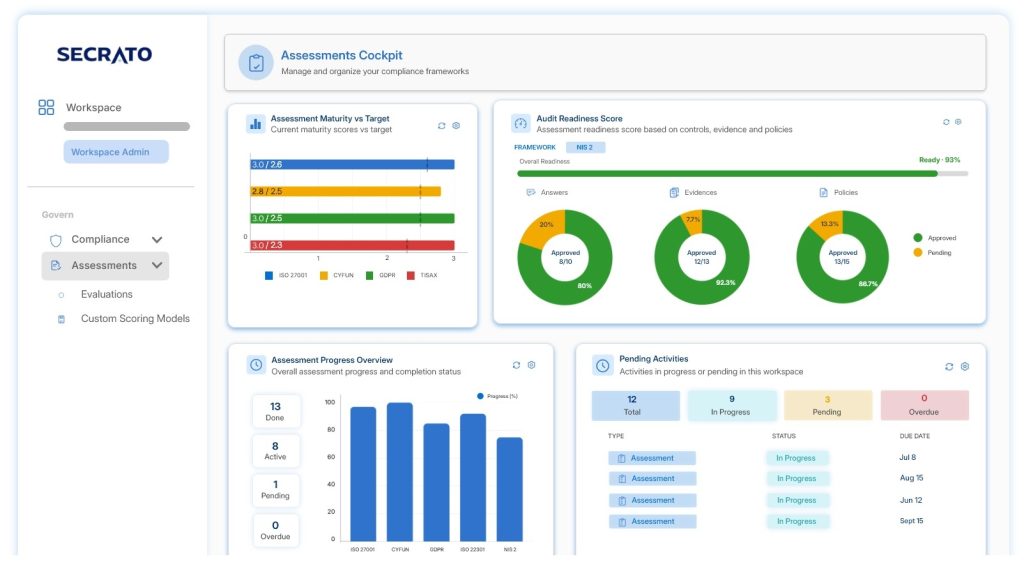
An assessment score means little without the trail behind it
Assessments often live in spreadsheets while the controls, evidence and decisions supporting the result sit elsewhere. That makes it harder to explain how a score was reached, carry completed work into the next cycle and demonstrate the basis of an assessment when it moves towards review or audit.
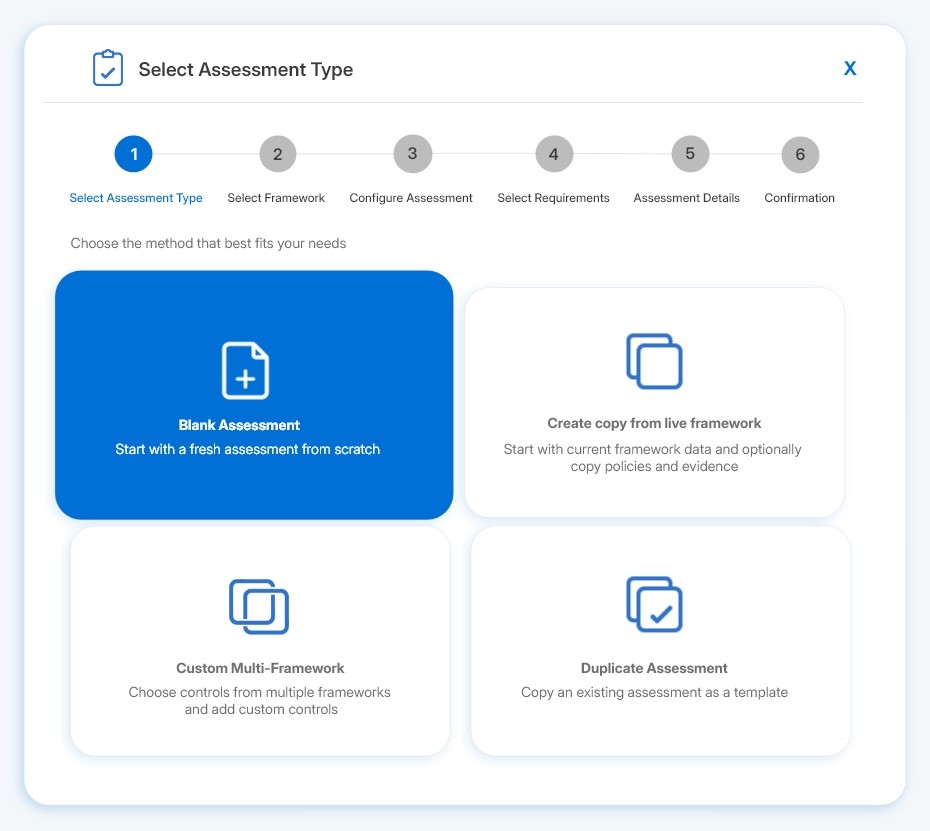
Assess the work that actually matters
Start from a live framework, a previous assessment, a custom multi-framework, or a blank assessment, and define the controls you want to evaluate. This gives your teams a structured starting point while keeping the assessment focused on the work you intend to measure.
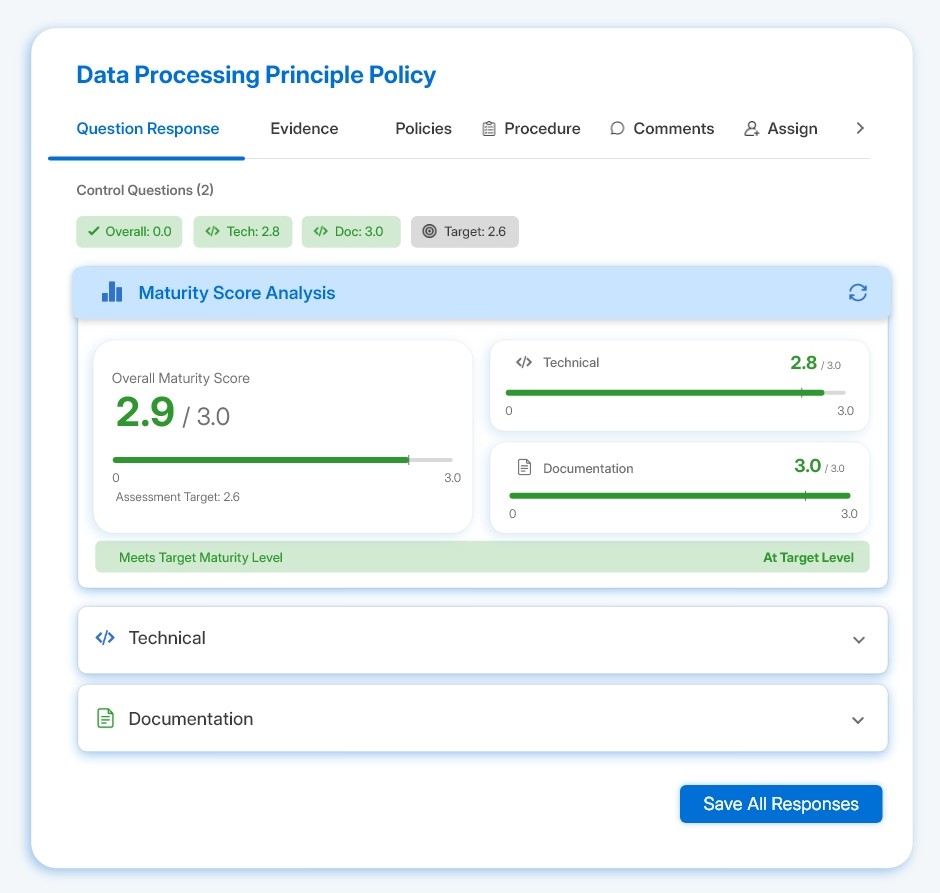
Make every score explainable
Use Yes/No or maturity-based scoring, compare current performance with target levels and make the gap visible at control level. Answers, scores, evidence, policies and response history stay together, so reviewers can see not only the result but how it was reached.
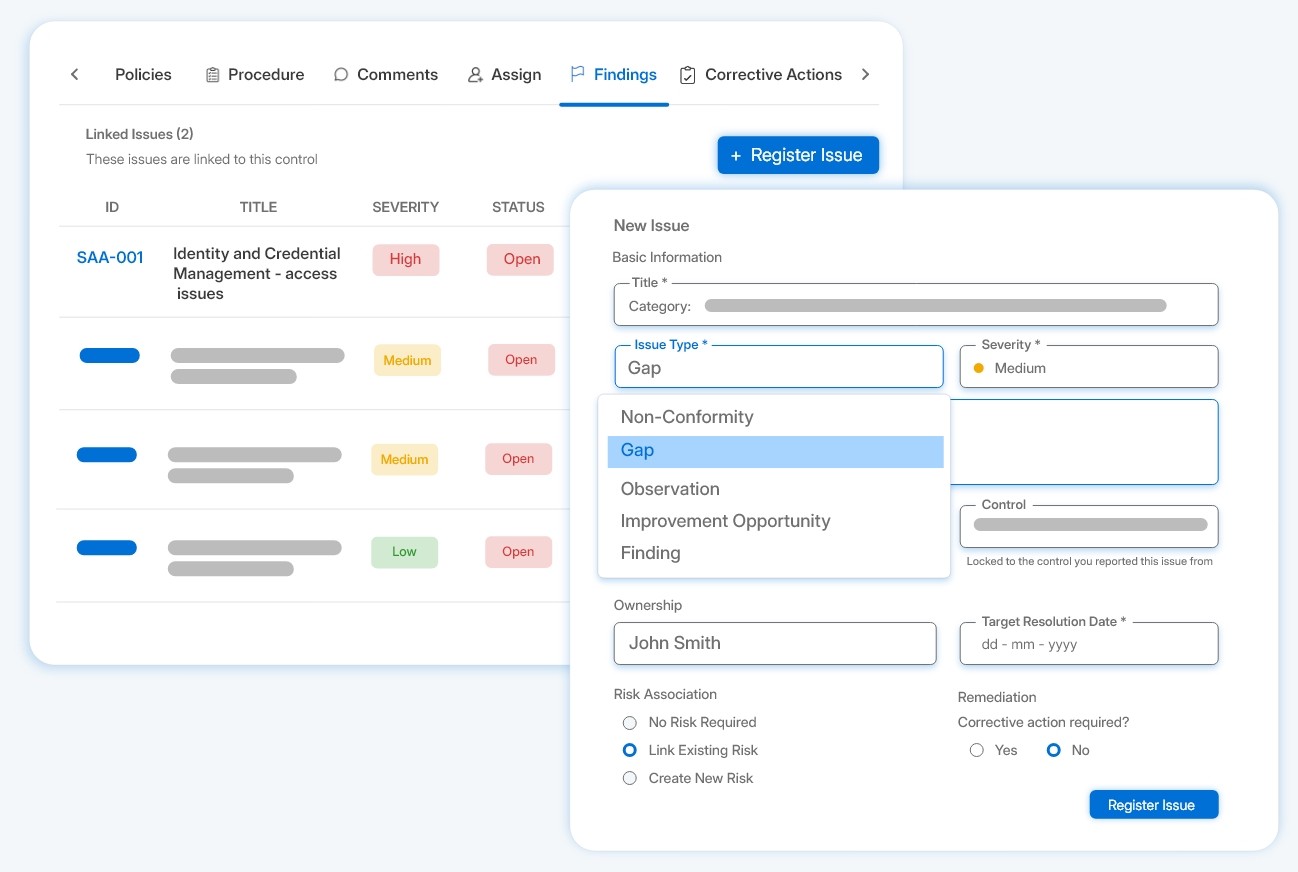
Turn findings into owned action
Capture corrective action alongside the audit and carry relevant findings into risk management with their context attached. Ownership and follow-up stay connected to what was found, so issues move beyond the report and into tracked work.
Built into the Assessments
Keep control ownership accountable
Reassign controls with a due date and reason while preserving assignment history, so responsibility changes without losing the trail.
Keep assessment discussions in context
Use a comment thread on each control so the conversation behind an answer stays alongside the work being evaluated.
Link the procedure behind a control
Link procedures from the same evaluation area as evidence and policies, supporting the context behind each control together.
Handle genuine exceptions cleanly
Mark evidence or policies as not applicable where appropriate, completing controls without inventing documentation requirements.
See where an assessment stands
Use the assessment cockpit to follow completion, passed controls, open issues and remaining time throughout the assessment.
Export the controls you are reviewing
Export control data to CSV and generate an assessment report from the cockpit when results need to be reviewed or shared.
Assessments stay connected to the wider Secrato platform. Work completed here remains available and useful wherever it needs to go next.
Dashboards & Reporting
Bring assessment progress and results into the wider view of compliance posture.
Unified Control Library
Score assessments against the same controls used across the platform.
Assess shared controls without starting again
Assessments can run across Secrato’s framework coverage using controls from the Unified Control Library. Work completed against a shared control can remain available as teams assess other frameworks that rely on the same underlying requirement.
+ More & growing
GRC data is processed on self-managed infrastructure in a Belgian datacentre, within the EU legal and regulatory environment.
Belgium · EU
Common questions
Does completing an assessment replace the audit itself?
Assessments prepares your control work up to audit readiness. The audit and its final outcome remain a separate step and can be taken forward through the Audit Hub.
Does a strong assessment score mean we will pass an audit?
The score reflects how your controls perform against the assessment criteria, but the audit outcome remains with the auditor. Assessment scoring supports readiness rather than guaranteeing a result.
Do we have to start again when assessing another framework?
Not where the frameworks rely on shared controls. Because assessments work against controls in the Unified Control Library, relevant control work already recorded can support subsequent framework assessments.
Make every assessment build on the last
Audits recur, and each one asks the same question: how do you know where you stand and can you show it? Book a demo to run an assessment against your own framework and controls.